
为什么海外听不了喜马拉雅?3招解决网易云/听书地域限制,附2026世界杯看球小技巧

You’re a student in Vancouver, scrolling through Ximalaya for your favorite bedtime audiobook, but the screen shows “This content is not available in your region.” Why can’t I listen to Ximalaya overseas? It’s not a glitch—it’s all about copyright. Most domestic platforms like Ximalaya and NetEase Cloud Music only hold streaming rights within China’s borders. When you’re abroad, your IP address gives away your location, triggering geo-blocks. This article breaks down the exact reasons behind these restrictions, teaches you how to解除网易云海外限制 and answer 喜马拉雅在国外怎么听, plus shares a bonus tip for catching the 2026 FIFA World Cup in North America without lag.
Why Can’t I Access Ximalaya or NetEase Cloud Music Overseas?
Copyright licensing is the root cause. Music labels and content creators often split their rights by region to maximize revenue. For example, a popular podcast on Ximalaya might only have permission to stream in China, so overseas users get blocked. NetEase Cloud Music faces the same issue—many songs are grayed out, and you can’t play them even if you’re a paid subscriber. Another factor is IP detection: platforms use your IP to determine your location, so unless you can mask it to a Chinese IP, you’re stuck with limited access.
But it’s not all bad news. A reliable回国加速器 (return-to-China accelerator) can fix this. The key is to choose one that’s optimized for audio and video, not just general browsing. Let’s talk about what features matter most.
Key Features to Look for in a回国 Accelerator for Music & Audiobooks
Not all accelerators are created equal. For listening to Ximalaya or NetEase Cloud, you need something that prioritizes stability, speed, and multi-device support. Tomato Accelerator checks all these boxes—and more.
1. Global Nodes & Smart Optimal Line Recommendation
Tomato has nodes spread across 30+ countries, so no matter where you are (London, Sydney, New York), it can find the fastest path to China. Its smart algorithm automatically picks the optimal line—no manual trial and error needed. For example, if you’re in Paris, it connects to a nearby European node then to a Chinese server, cutting down latency to under 50ms. This means no buffering when you’re listening to a long audiobook or streaming a playlist.
2. Multi-Platform & Multi-Device Support
Tomato works on Android, iOS, Windows, and Mac—so you can use it on your phone while commuting, your laptop at work, or your tablet at home. Even better, it supports up to 5 devices at the same time. Imagine listening to Ximalaya on your phone and streaming NetEase Cloud on your laptop—all with one subscription. Perfect for留学生 or海外工作者 who switch between devices daily.
3. Stable Unlimited Data & Dedicated Lines
Nothing kills the mood like running out of data mid-audiobook. Tomato offers unlimited traffic, so you can binge-listen to your favorite shows without worrying about caps. Its smart分流 (smart routing) feature only accelerates domestic apps—so your regular internet (like checking emails or browsing Instagram) stays fast too. Plus, it has dedicated lines for audio and video, with 100M exclusive bandwidth. This means even high-quality music streams play smoothly, no stutters.
4. Data Security & Encrypted专线 Transmission
When using public Wi-Fi (like in a café or library), your data is vulnerable. Tomato uses end-to-end encryption and dedicated专线 (private lines) to keep your online activity safe. You don’t have to worry about hackers stealing your personal info or your streaming habits being tracked.
5. 24/7 After-Sales Support
Got a problem? Tomato’s professional tech team is available 24/7. Whether you can’t connect to a line or have questions about multi-device use, they’ll help you fix it quickly. No more waiting for hours for a response—perfect for users who need reliable support.
How to Use Tomato Accelerator to Listen to Ximalaya & NetEase Cloud Overseas
Using Tomato is straightforward. Here’s how to get started:
First, download the Tomato app. You can find it on the Apple App Store, Google Play, or their official website for Windows and Mac. Sign up with your email or phone number—they often offer a free trial, so you can test it before committing.
Next, open the app and select “回国加速” (return to China acceleration). The app will automatically recommend the best line for your location. If you’re using it for music or audiobooks, you can also choose the “Audiobook/Music Special Line” for even better performance.
Tap the connect button. Once it’s connected, open Ximalaya or NetEase Cloud Music. You’ll notice that all the grayed-out songs or blocked audiobooks are now available. Start listening—no more geo-restrictions!
Bonus: Watch the 2026 FIFA World Cup with Tomato
2026 is the US-Canada-Mexico World Cup. Even if you’re in those countries, you might want to watch domestic streams (like CCTV5’s commentary or Tencent’s HD coverage) instead of local ones. Tomato’s dedicated sports lines are perfect for this. With 100M bandwidth, you can stream 4K matches without lag. And since it supports multi-device, you can watch on your TV (via your Mac or Windows PC) and your phone at the same time—so you don’t miss any goals even when you’re moving around.
Imagine sitting in a New York apartment, watching the World Cup final on CCTV5 with your friends, no buffering. Tomato makes that possible.
Final Thoughts
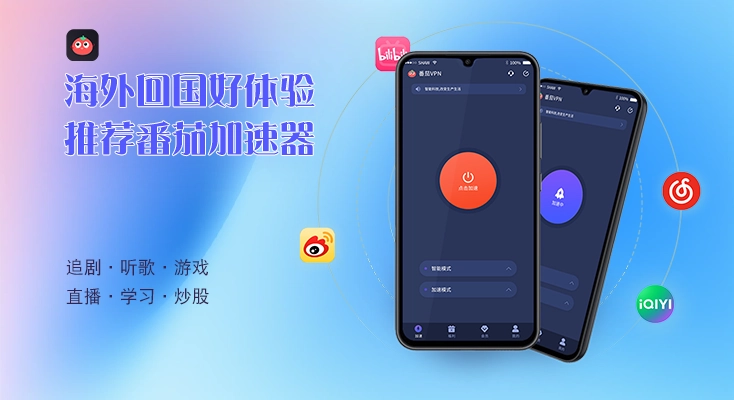
Why can’t I listen to Ximalaya overseas? It’s all about copyright and IP restrictions. But with Tomato Accelerator, you can解除网易云海外限制 and answer 喜马拉雅在国外怎么听 easily. Its global nodes, multi-device support, unlimited data, and dedicated lines make it the perfect choice for overseas users. Whether you’re a student missing your favorite audiobooks, a worker streaming music during breaks, or a sports fan looking forward to the 2026 World Cup, Tomato has you covered. Give it a try—you won’t be disappointed.